Email Fowarding
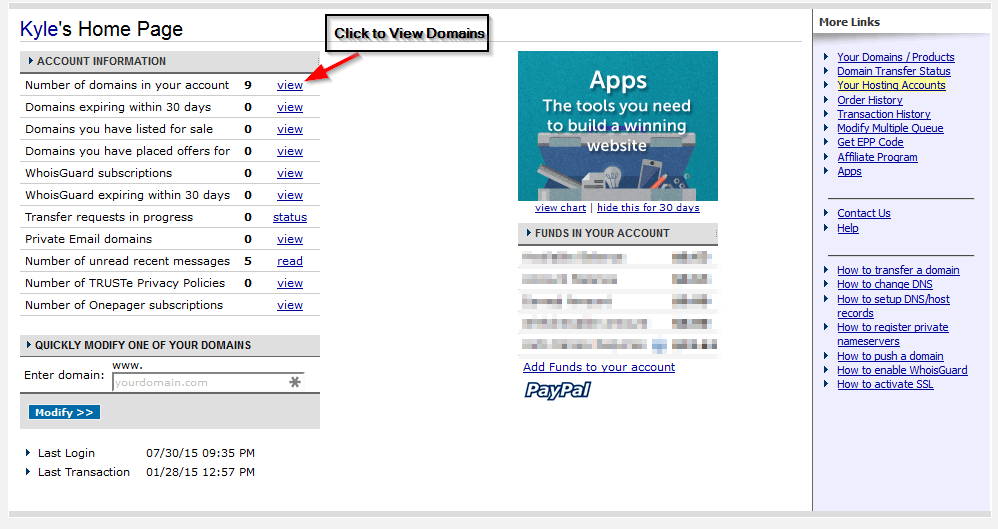
Using Namecheap.comOnce you login, you’ll be presented with this screen. Click the view link next to the number of domains on the account to see a listing of domains.
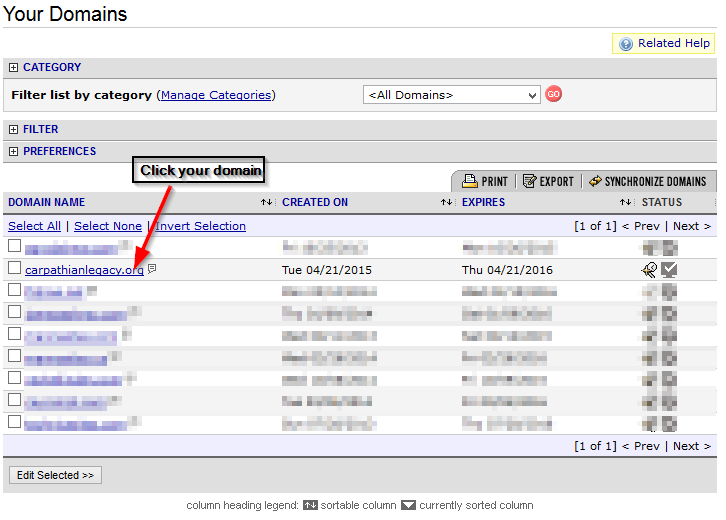
Next, click the Domain you want to point to Mannasites.
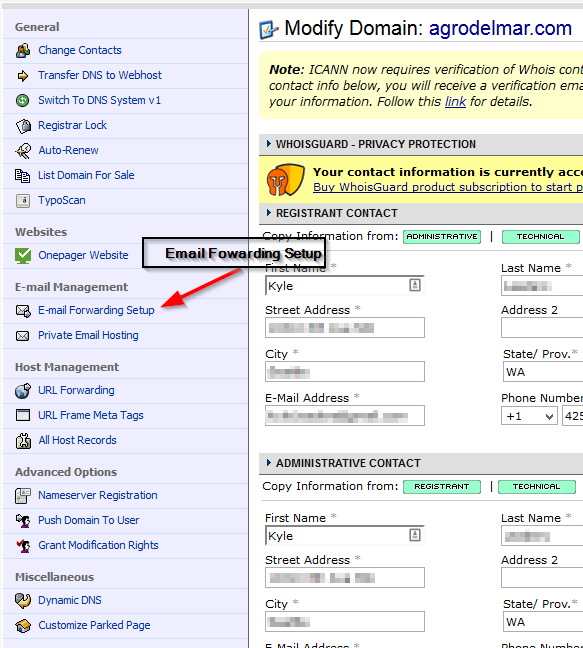
Once you click the domain, your side bar will have changed. On this sidebar click “Email Forwarding Setup”.
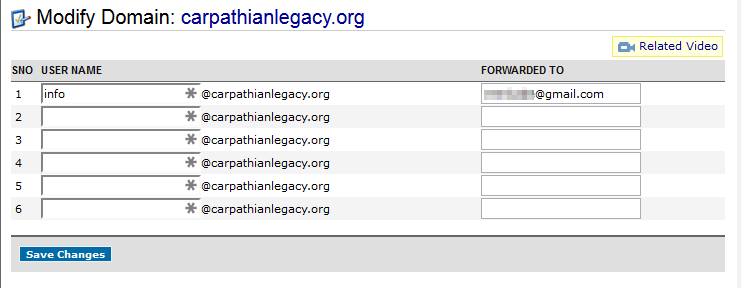
Finally, add up to 6 addresses you would like to forward. You can have multiple addresses at your domain foward to the same personal email account.